How to Check Income Tax Refund Status Online
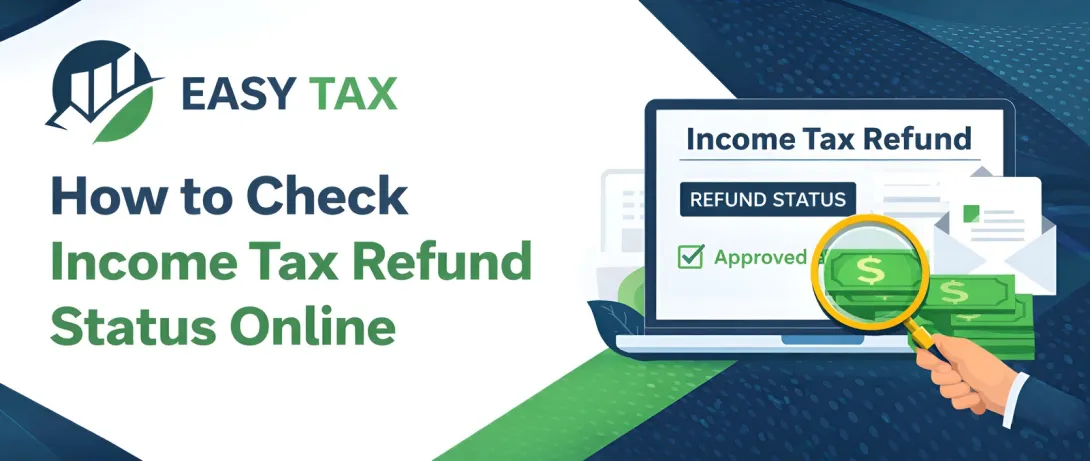
How to Check Income Tax Refund Status Online in India
Topic: Income Tax Refund Status | Jurisdiction: India
Waiting for your income tax refund? You can check its status online through the Income Tax Department's e-Filing portal. The portal lets you view the progress of your filed return, see whether a refund has been issued or adjusted, and identify whether a refund payment has failed. For related guida Explore EasyTax GST return filing services for related compliance support.https://easytax.live/services/gst-return-filingnce, use the EasyTax tax refund calculator and explore EasyTax GST return filing services.https://easytax.live/blog/tax-refund-calculator-india-2026-check-your-expected-income-tax-refund
In this guide, you will learn how to check your ITR refund status, understand common refund updates, verify your bank account and request a refund reissue if the original payment fails.
What Is an Income Tax Refund?
An income tax refund may arise when the tax already paid by a taxpayer is more than the final tax liability determined under the applicable income tax provisions.
Tax payments considered while determining the amount can include:
- Tax Deducted at Source (TDS).
- Tax Collected at Source (TCS).
- Advance tax payments.
- Self-assessment tax payments.
The final amount depends on the return, applicable tax provisions, adjustments and processing by the Income Tax Department. Filing a return that shows an expected refund does not by itself guarantee that the full amount will be issued.
The Income Tax Department explains the refund process in its Refund Status User Manual .
What You Need Before Checking Your Refund Status
Keep the following information ready before accessing the e-Filing portal:
- Your PAN and e-Filing portal login credentials.
- The relevant filed Income Tax Return details.
- The Assessment Year or Tax Year associated with the return.
- Access to your registered mobile number or email, if verification is requested.
- Your bank account details, if you need to investigate a payment failure.
How to Check Income Tax Refund Status Online
Follow these steps to check the status of a refund associated with a return filed through the Income Tax Department's e-Filing portal.
01 Visit the official Income Tax e-Filing portal
Open the official website: www.incometax.gov.in .
Check that the address belongs to the official Government of India Income Tax Department website before entering your login details.
02 Log in to your account
Select the Login option and enter your PAN and password as required by the portal.
Complete any additional authentication or verification requested during login.
03 Open View Filed Returns
After logging in, navigate to:
The portal displays the returns filed through your account. Find the return for the relevant Assessment Year or applicable tax period.
04 Select the relevant return
Identify the return for which you are expecting a refund. Select the available details or view option to open its filing and processing information.
05 Review the refund information
Check the return lifecycle and refund information displayed by the portal. Review any adjustment, failure or communication shown against the return.
If the refund has not been credited, also check your registered email and the portal for an intimation or discrepancy notice.
Understanding Income Tax Refund Status Updates
The refund lifecycle can show different outcomes depending on whether the return has been processed, whether an adjustment has been made and whether the payment was successfully credited.
| Refund update or outcome | What it generally means | What you should do |
|---|---|---|
| Refund issued | The Department has initiated the refund payment. | Check your nominated bank account and bank statement. |
| Refund partially adjusted | A part of the refund has been adjusted against an outstanding demand or other applicable adjustment. | Open the relevant intimation and review the adjustment. |
| Refund fully adjusted | The refund amount has been fully adjusted. | Review the adjustment details and any related communication in your account. |
| Refund failed | The scheduled payment could not be credited to the bank account. | Check bank validation and refund reissue eligibility. |
| Processing or other update | The return or refund lifecycle is still showing a processing-related update. | Read the detailed portal message and check again when appropriate. |
These descriptions explain common lifecycle outcomes. The exact wording displayed in your account may vary. Always rely on the detailed information and intimation available in the official portal.
How Long Does an Income Tax Refund Take?
Refund processing does not begin until the filed Income Tax Return has been e-verified.
According to the Income Tax Department's Refund Status User Manual, a refund usually takes around 4–5 weeks to be credited after the relevant processing stage. This is an indicative period, not a guaranteed payment deadline.
If the amount has not been credited during this period:
- Check the refund status in View Filed Returns.
- Review your registered email for Department communications.
- Check whether the return has an outstanding discrepancy or adjustment.
- Verify whether the nominated bank account is valid and pre-validated.
- Follow the instructions displayed in the portal.
Refer to the official Refund Status User Manual for the Department's current guidance.
Why Is My Income Tax Refund Delayed or Failed?
A refund may not reach your bank account even when the return shows an expected refund. The reason should be checked through the return lifecycle, bank details and any official communication.
01 Your ITR has not been e-verified
Refund processing starts only after the return has been e-verified. Check the verification status of the filed return and complete any pending verification step available in your account.
02 Your bank account is not pre-validated
The Income Tax Department requires bank account pre-validation for refund-related processing. A failed validation can prevent the refund from being credited.
03 Your bank account details do not match
A mismatch between the name associated with the bank account and PAN details may cause payment failure. Check the account holder information carefully.
04 The IFSC code is incorrect
An invalid IFSC code can prevent successful credit. Verify the account number and IFSC with your bank.
05 The bank account is closed or inactive
A closed account cannot receive the scheduled refund. Add and validate an eligible active account through the official portal.
06 PAN is inoperative
The Department's refund-status manual explains that an inoperative PAN can result in refund failure. Check the warning or action requested in your account and resolve it as applicable.
07 The return has a discrepancy or adjustment
The Department may communicate a discrepancy or adjustment relating to the return. Review the relevant intimation before assuming that the refund is simply delayed.
How to Check and Validate Your Bank Account
If your refund has failed or the portal indicates a bank-related problem, review your bank account details using the official My Bank Account service.
- Log in to the Income Tax e-Filing portal.
- Open your Dashboard and go to My Profile.
- Select My Bank Account.
- Review the Added, Failed and Removed bank account tabs.
- Check the account number, IFSC and validation status.
- Use the available option to add or revalidate an account if needed.
- Nominate a validated eligible account to receive the refund.
The Department's manual explains that the bank account must be linked with PAN for pre-validation. Validated account details can be nominated for refund, subject to the account-type requirements.
Read the official My Bank Account User Manual before changing your bank details.
How to Request an Income Tax Refund Reissue
If the Department has issued a refund but the payment has failed, you may be able to submit a Refund Reissue Request through the e-Filing portal.
Check the prerequisites first
The Department's refund reissue manual lists these prerequisites:
- You must be a registered user of the e-Filing portal.
- The Income Tax Return must have been filed.
- The refund payment must have failed.
- A validated bank account must be available on the portal.
- You must have access to an accepted verification method.
Steps to submit a refund reissue request
- Log in to the official Income Tax e-Filing portal.
- Open Services from your Dashboard.
- Select Refund Reissue.
- Choose + Create Refund Reissue Request.
- Select the relevant failed refund record.
- Choose an eligible validated bank account.
- Select the available verification method.
- Complete e-verification and retain the transaction ID.
Do not submit a refund reissue request merely because the refund has not yet arrived. First confirm that the portal actually records a refund failure and that the reissue facility is available for the relevant return.
Assessment Year vs Tax Year: Which Period Should You Select?
The terminology used for income tax periods changed from 1 April 2026. Selecting the correct period is important when reviewing older returns or income earned during the new tax-year system.
| Income period | Relevant period terminology | Applicable framework |
|---|---|---|
| 1 April 2025 to 31 March 2026 | FY 2025–26 / AY 2026–27 | Income-tax Act, 1961 framework |
| 1 April 2026 to 31 March 2027 | Tax Year 2026–27 | Income-tax Act, 2025 framework |
The Income-tax Act, 1961 was repealed with effect from 1 April 2026, subject to transitional and savings provisions. Earlier tax periods and relevant pending proceedings continue under the applicable old-law framework.
The Tax Year terminology applies to income earned from FY 2026–27 onwards. Therefore, do not assume that every return or refund record should be selected using the same year label.
Read the Income Tax Department's New Act FAQs for further information about the transition.
Frequently Asked Questions About Income Tax Refund Status
01 How can I check my income tax refund status online?
Log in to the official Income Tax e-Filing portal. Navigate to e-File, select Income Tax Returns and open View Filed Returns. Select the relevant return to review its refund information.
02 Can I check my refund status without logging in?
The CBDT provides a separate Protean refund-status route for refunds determined on or before 31 March 2023. For refunds determined after 31 March 2023, the CBDT directs taxpayers to the Income Tax e-Filing portal.
Use the official CBDT refund-status instructions to choose the correct route.
03 How long does an income tax refund take?
The Department says refunds usually take around 4–5 weeks to be credited after the return is e-verified. This is not a guaranteed deadline. Check the portal and registered email for updates or discrepancies.
04 What should I do if my refund status shows failed?
Check whether your bank account is pre-validated, whether the account details match your PAN records, and whether the account is active. If the portal confirms a refund failure, check whether the Refund Reissue facility is available.
05 Why has my refund not been credited even though it was issued?
A scheduled payment can fail because of bank pre-validation problems, an account-holder name mismatch, an invalid IFSC or a closed account. Check the detailed refund lifecycle and bank account information in your portal.
06 What is the difference between refund issued and refund failed?
Refund issued means the Department has initiated the payment. Refund failed means the scheduled payment could not be credited successfully. If a refund failure is confirmed, review the refund reissue instructions.
07 Can I request a refund reissue online?
Yes, when the portal records a refund failure and the required conditions are met. The official Refund Reissue facility allows eligible registered users to select a validated bank account and complete the required verification.
08 Does e-verification matter for a tax refund?
Yes. The Income Tax Department states that refund processing begins only after the filed return has been e-verified. Check the return's verification status if processing has not started.
09 Which website should I use to check my refund?
Use the official Income Tax e-Filing portal for refunds determined after 31 March 2023. For older refunds determined on or before that date, follow the Protean route specified by CBDT.
10 Does an expected refund guarantee that I will receive the amount?
No. The amount shown in a return is subject to processing, applicable adjustments and the Department's determination of the final tax liability and refund.
Official Government Sources and Further Reading
The following official resources provide the procedures and guidance discussed in this article. Refer to the Department's latest instructions before taking action on your account.
- CBDT — Status of Tax Refund
View official refund-status instructions
Covers the e-Filing portal route and the date-limited Protean route. - Income Tax Department — Refund Status User Manual
Read the refund-status manual
Covers prerequisites, e-verification, refund lifecycle and common payment failure reasons. - Income Tax Department — My Bank Account
Read the bank account user manual
Covers bank account addition, validation and nomination for refunds. - Income Tax Department — Refund Reissue
Read the refund reissue manual
Covers eligibility and the online reissue procedure. - Income Tax Department — New Act FAQs
Read the Income-tax Act, 2025 FAQs
Covers the Tax Year transition and treatment of earlier tax periods.
Need Help With Your Income Tax Return?
If you need assistance understanding your filed return, reviewing tax information or identifying a possible return-related issue, consider speaking with a qualified tax professional.
EasyTax provides expert-assisted income tax return filing services. Review the service details and contact the team if you need assistance.
Final Checklist Before You Leave the Portal
- Confirm that the correct return and tax period are selected.
- Check whether the return has been e-verified.
- Read the latest refund lifecycle update.
- Review any adjustment or discrepancy intimation.
- Check bank account validation and nomination.
- If payment failed, read the official refund reissue instructions.
- Keep the relevant transaction ID and official communications.
Was this guide helpful?
Related reading
Form 121 New TDS Declaration Form: 2026 Filing Guide
.et-form121 { --et-ink: #202b3c; --et-muted: #586579; --et-line: #dce3ec; --et-blue: #174ea6; --et-soft: #f3f7fc; max…
How to Fill Form 121 Online for Bank FD
How to Submit Form 121 for Bank FD Interest If you earn interest from a fixed deposit (FD), your bank may be required…
Form 15G vs 15H Explained: Why You Need Form 121 Instead
.et-form121-article { --et-ink: #172033; --et-muted: #5b6475; --et-border: #dce2ea; --et-soft: #f5f8fc; --et-link: …
Latest from the blog
SEO Agent connection test (temporary)
This is a temporary test post. It checks the connection between the EasyTax website and the SEO Agent publishing tool,…
Tax-Smart Tips for Salaried Employees: New Tax Regime
Tax-smart tips for salaried employees under the new tax regime: understand deductions, employer NPS, tax rebates,…
Tax-Smart Tips for Salaried Employees | EasyTax
Tax-smart tips for salaried employees under India’s new tax regime: compare deductions, employer NPS, rebates and…
EasyTax • Trusted by 10,000+ Clients
TDS Return Filing & Advisory
Quarterly TDS return preparation, 26AS reconciliation & error-free FVU generation with dedicated CA assistance.