

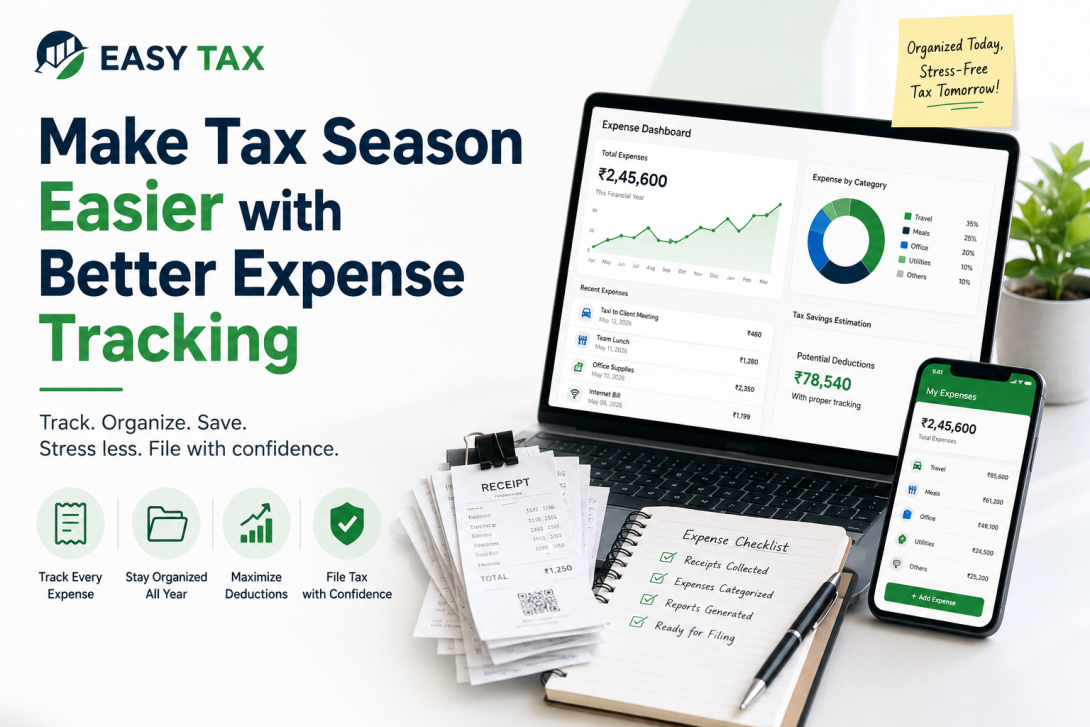
Every year, thousands of business owners panic when tax season arrives. They spend weekends digging through shoeboxes filled with faded receipts, scrolling endlessly through emails searching for software invoices, and trying to remember if a specific dinner was a personal outing or a client meeting.
This chaos is completely avoidable. As a Chartered Accountant, I see firsthand the difference between a business owner who tracks their expenses monthly and one who waits until the last minute. The organized owner files their taxes smoothly, pays less tax by maximizing legitimate deductions, and sleeps well at night. The disorganized owner overpays on taxes because they lost receipts and lives in fear of an audit.
Whether you are a freelancer, a small shop owner, or running a tech startup, understanding how to track business expenses is a foundational skill. In this guide, we will break down exactly how to organize your business receipts, categorize your outflows, and build a system that makes your next tax filing completely stress-free.
Key Takeaways
- The golden rule of business expense tracking is to never mix personal and business finances. Always use a dedicated business bank account.
- Digital receipt tracking is far superior to paper. Faded paper receipts hold no value during a tax audit.
- Categorizing expenses monthly, rather than annually, saves hours of stress and prevents memory lapses regarding specific transactions.
- Properly documented expenses directly reduce your taxable income, meaning you legally pay less income tax.
- Using basic accounting software or mobile scanning apps can automate 80% of your manual tax season expense tracking.
Quick Benefits Table: Why Track Expenses?
| Without Expense Tracking | With Better Expense Tracking |
|---|---|
| Missed tax deductions due to lost receipts. | Maximized deductions, legally lowering your tax bill. |
| Stressful, last-minute rush during tax season. | Smooth, fast, and stress-free Income Tax Return (ITR) filing. |
| High risk of penalties during a tax audit. | Audit-ready records with clear digital paper trails. |
| No clear visibility on business cash flow. | Accurate profit and loss visibility every month. |
What is Expense Tracking?
Simply put, it is knowing exactly where your money goes. If you buy printer ink, pay for a software subscription, or fill up your car for a client visit, tracking ensures that the outflow is documented. When it comes time for tax filing with business expenses, this organized data allows your accountant to compute your net profit accurately, ensuring you only pay tax on your actual earnings, not your gross revenue.
Why Expense Tracking Matters During Tax Season
Tax season should be a simple reporting exercise, not an archeological dig. When you practice consistent monthly expense tracking for business, your tax return is practically written by the time the financial year ends. Furthermore, if you ever need to apply for business expansion funding, banks will demand clean financial statements. Organized books make accessing High Loan Assistance Services significantly faster.
Benefits of Business Expense Tracking
The advantages of maintaining clean records go far beyond simply keeping your accountant happy. Review the core benefits below:
| Benefit Area | Practical Impact on Your Business |
|---|---|
| Easier Tax Filing | Your data is pre-organized, meaning your return can be filed in hours instead of days. |
| Maximum Tax Deductions | Every logged ₹100 of business expense reduces your taxable income, saving you hard cash. |
| Better Cash Flow Management | You can spot wasteful spending (like unused software subscriptions) and cut costs immediately. |
| Reduced Audit Risk | If the tax department questions a deduction, you have immediate digital proof to satisfy the query. |
| Faster Bookkeeping | Monthly tracking prevents a massive backlog of data entry at the end of the financial year. |
How to Track Business Expenses Effectively
Building a habit is the hardest part of small business expense tracking. Follow this step-by-step process to build a foolproof system:
- Separate Business and Personal Finances: Open a dedicated current account and business credit card. If you buy a coffee for yourself, use the personal card. If you buy coffee for a client meeting, use the business card. This one step eliminates 90% of accounting confusion.
- Capture Everything Immediately: Do not put paper receipts in your wallet. The moment you make a purchase, take a photo of the receipt and upload it to a cloud folder.
- Categorize Expenses Monthly: Don't just list "Amazon - ₹5,000." Categorize it. Was it office supplies (paper) or equipment (a new mouse)? Categorization is mandatory for tax filing.
- Reconcile Bank Statements Regularly: At the end of every month, match the expenses you have tracked against your bank statement. If there is a bank charge you missed, log it.
- Use Software: Ditch the paper ledgers. Utilize basic accounting software that connects directly to your bank feed to automate data entry.
How to Organize Business Receipts
How to organize business receipts is a common pain point. Thermal paper receipts fade entirely within a few months, making them useless for tax audits. Therefore, receipt tracking for taxes must be digital.
- Mobile Scanning Apps: Use apps like Adobe Scan or CamScanner to snap pictures of physical bills immediately.
- Email Rules: Set up an auto-forwarding rule in your inbox. Whenever an invoice arrives from Zoom, Microsoft, or your supplier, have it automatically forwarded to a specific "Tax Receipts" folder.
- Cloud Storage: Use Google Drive or Dropbox. Create folders by Financial Year, and subfolders by Month (e.g., "FY 2026 > 04-April").
Common Business Expenses You Can Track
Many new business owners overpay on taxes simply because they do not know what constitutes a deductible business expense. Here is a detailed breakdown of tax filing expense records you must track:
| Expense Category | Examples of Trackable Items |
|---|---|
| Office & Infrastructure | Office rent, co-working space fees, electricity, internet, water bills. |
| Technology & Software | Domain hosting, cloud storage, accounting software, email subscriptions. |
| Travel & Conveyance | Flights for business, hotel stays, fuel for business vehicles, cab fares for client meetings. |
| Marketing & Advertising | Social media ads, website design, business cards, networking event tickets. |
| Professional Fees | Payments made to lawyers, CA consulting fees, freelance contractors. |
| General Operations | Office stationery, courier charges, printer ink, minor equipment repairs. |
Common Expense Tracking Mistakes
Avoid these critical errors to ensure smooth tax filing with business expenses:
- The "Shoebox" Method: Dumping all receipts into a drawer and handing them to your accountant at year-end guarantees missed deductions and higher accounting fees.
- Mixing Funds: Paying for your child's school fees from the business account. This pierces the corporate veil and complicates tax audits severely.
- Incorrect Categorization: Logging a client lunch as an "Office Supply" instead of "Meals & Entertainment." Tax laws treat these categories differently.
- No Digital Backup: Relying solely on paper. If a fire or flood destroys your office, your financial proof is gone forever.
Best Tools for Business Expense Tracking
Selecting the right tool depends on your transaction volume:
| Tool Type | Best For | Pros & Cons |
|---|---|---|
| Google Sheets / Excel | Freelancers and brand-new startups with very few transactions. | Pro: Free and customizable. Con: Highly manual, prone to data entry errors. |
| Expense Tracking Apps | Consultants and sales professionals frequently on the road. | Pro: Built-in receipt scanning. Con: May not handle full double-entry accounting. |
| Cloud Accounting Software | Established small businesses, retail shops, and agencies. | Pro: Connects to bank feeds, auto-categorizes, generates tax reports. Con: Requires a monthly subscription fee. |
Monthly Expense Tracking Checklist
Print this checklist and execute it on the 1st of every month to keep your expense tracking for small business taxes pristine.
| Task | Action Required |
|---|---|
| Scan & Store | Verify all paper receipts from your wallet are scanned and uploaded to the cloud folder. |
| Email Sweep | Move all digital invoices (software, utilities) into your designated tax folder. |
| Categorize | Log every transaction into your spreadsheet or accounting software. |
| Reconcile | Match your software records line-by-line against your PDF bank statement. |
| Review | Check if any subscriptions can be cancelled to save cash flow next month. |
Tax Filing Tips for Small Businesses
When you sit down to file your taxes, your organized records are your best asset. Remember that the tax department can ask questions years after you file. Therefore, never throw away a digital receipt just because the tax year ended. Good bookkeeping is not just about compliance; it is the foundation of building a scalable, profitable enterprise.
Keep your business finances organized and make tax filing stress-free with EasyTax's expert bookkeeping and tax services.
Simplify Tax Season with EasyTax
Practical Examples: Expense Tracking in Action
Let’s look at how organize business expenses works across different professions:
- The Freelance Graphic Designer: Priya works from home. She tracks her Adobe Creative Cloud subscription, the cost of her new high-end monitor, and a portion of her home internet bill. Because she saved the digital invoices, her accountant easily deducts these from her gross freelance income, lowering her tax bracket.
- The Retail Shop Owner: Rahul runs a hardware store. He uses a dedicated current account to pay his suppliers, electricity bill, and store rent. He snaps a photo of the petty cash receipts for shop cleaning supplies. Come tax season, his books match his bank statements perfectly.
- The Traveling Consultant: Amit visits clients across the country. He uses a mobile expense app to scan his boarding passes, hotel bills, and client dinner receipts immediately. He never loses a receipt, ensuring his travel expenses are fully deducted.
- The Online Seller: Neha sells handmade crafts online. She tracks her packaging material costs, shipping courier fees, and social media advertising spends carefully on a spreadsheet, ensuring she knows her exact profit margin per item.
- The Startup Founder: A tech startup uses cloud accounting software. They track employee salaries, server hosting fees, and legal registration costs. Their clean records allow them to file their corporate tax return quickly and secure a business loan effortlessly.
Conclusion
Effective expense tracking for tax season is not a magical skill; it is simply a habit. By separating your personal and business accounts, embracing digital receipts, and reviewing your outflows once a month, you transform tax season from a nightmare into a straightforward administrative task.
Accurate records empower you to claim every rupee of legitimate tax deduction, dramatically lowering your tax liability and increasing your business profitability. Do not wait until the financial year ends to organize your receipts. Start today. If you feel overwhelmed by your ledgers or need professional guidance to ensure your deductions are legally compliant, do not hesitate to seek help. Connect with our financial experts at EasyTax Contact to streamline your bookkeeping and secure your financial future.
Frequently Asked Questions (FAQs)
What is expense tracking for tax season?
Expense tracking for tax season is the continuous process of logging, categorizing, and safely storing all your business purchase receipts so that your accountant can accurately calculate your deductible expenses and lower your total taxable income.
Why is expense tracking important for small businesses?
It is important because the tax department requires proof for every business expense you claim. Clean records ensure you do not overpay on taxes, help you understand your actual profit margins, and protect your business from penalties during a tax audit.
How do I organize receipts for tax filing?
The best way to organize receipts is digitally. Use a mobile app to scan paper receipts immediately and save email invoices into a specific cloud storage folder (like Google Drive) organized by month and financial year.
What business expenses are tax deductible?
Generally, any expense that is "wholly and exclusively" incurred for running your business is deductible. Common examples include office rent, employee salaries, marketing costs, travel expenses, internet bills, and software subscriptions.
How long should I keep business expense records?
Under Indian tax laws, you should retain your business expense records, including digital and physical receipts, for a minimum of seven to eight years from the end of the relevant assessment year, as the tax department can open historical assessments.
Can I claim expenses without receipts?
No. Claiming business expenses without supporting invoices, bills, or bank statements is illegal. If audited, the tax department will disallow undocumented claims, and you will be forced to pay back the tax along with heavy interest and penalties.
What is the best way to track business expenses?
The best way is to use a dedicated business bank account linked directly to cloud accounting software. This automates the data entry process, categorizes expenses dynamically, and provides an instant overview of your finances.
How can expense tracking help reduce taxes?
Income tax is calculated on your net profit, not your gross revenue. By meticulously tracking every legitimate business expense, you lower your net profit figure, which directly reduces the amount of income tax you owe to the government.
