

- Reads any employer’s Form 16
- 4.8★ Google rating
- Data stays encrypted
Upload Form 16
One PDF in. One filed ITR out.
Upload your Form 16 and watch your return build itself — salary, TDS and deductions extracted automatically, checked against 26AS, filed in minutes.
- Auto-Read Parts A and B extracted
- No Typos Nothing typed by hand
- Verified Matched to 26AS



Trusted by 10,000+ happy taxpayers across India
No spam. Your information is 100% secure.

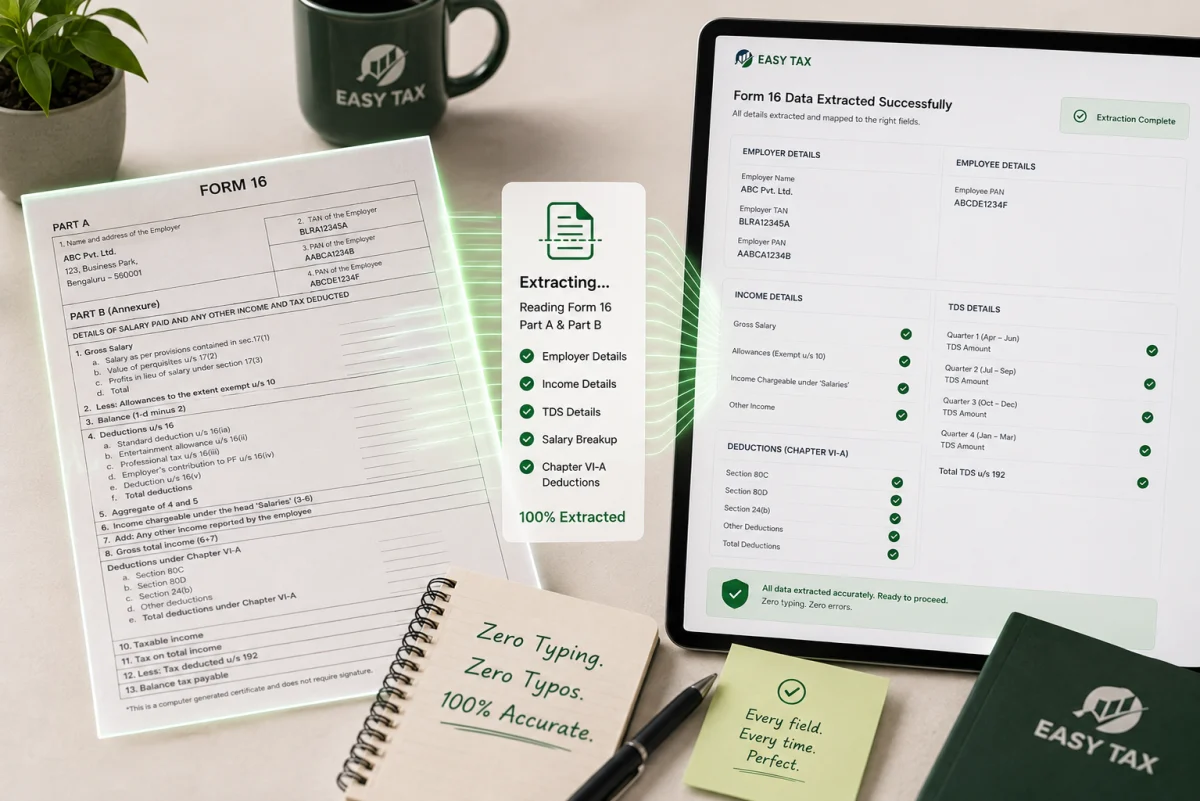
Zero typing, zero typos
Our extractor reads Part A and Part B — employer TAN, quarterly TDS, salary breakup, every Chapter VI-A deduction — straight into the right fields. The mistakes manual entry causes simply never happen.
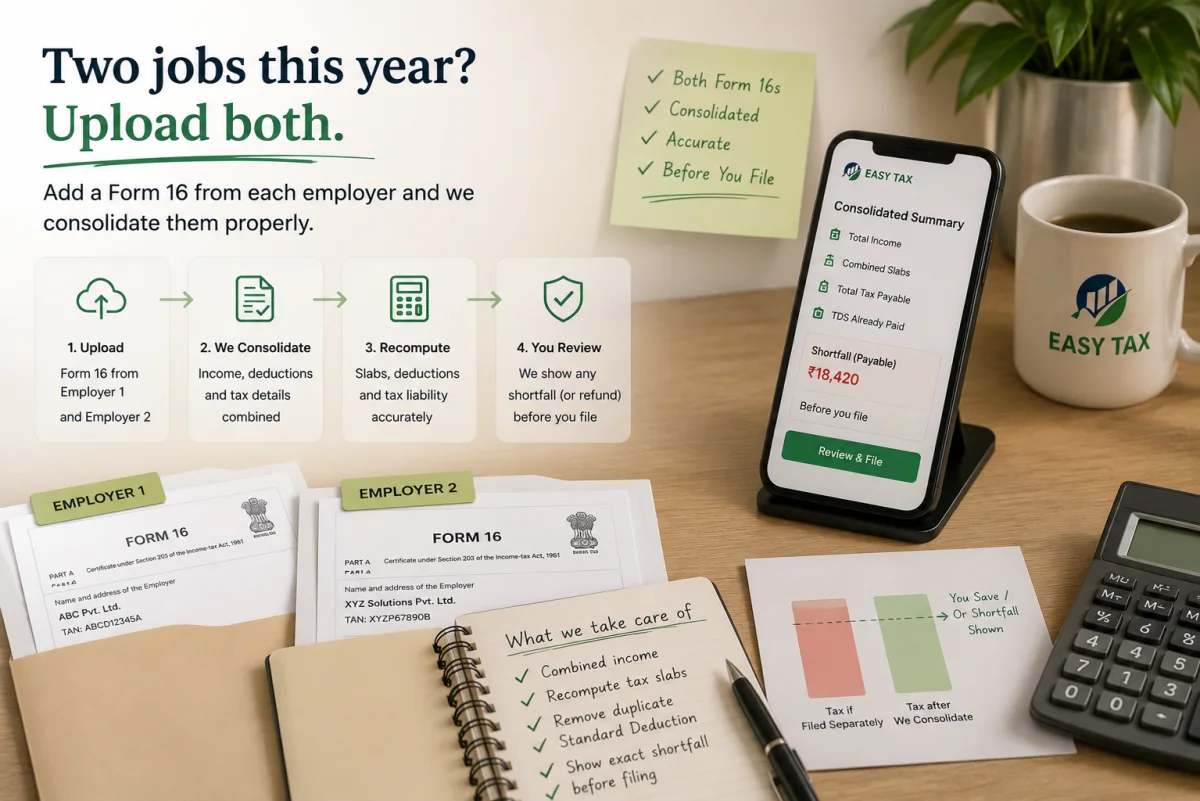
Two jobs this year? Upload both
Add a Form 16 from each employer and we consolidate them properly — combined slabs recomputed, double-claimed standard deduction removed, any shortfall shown before you file.
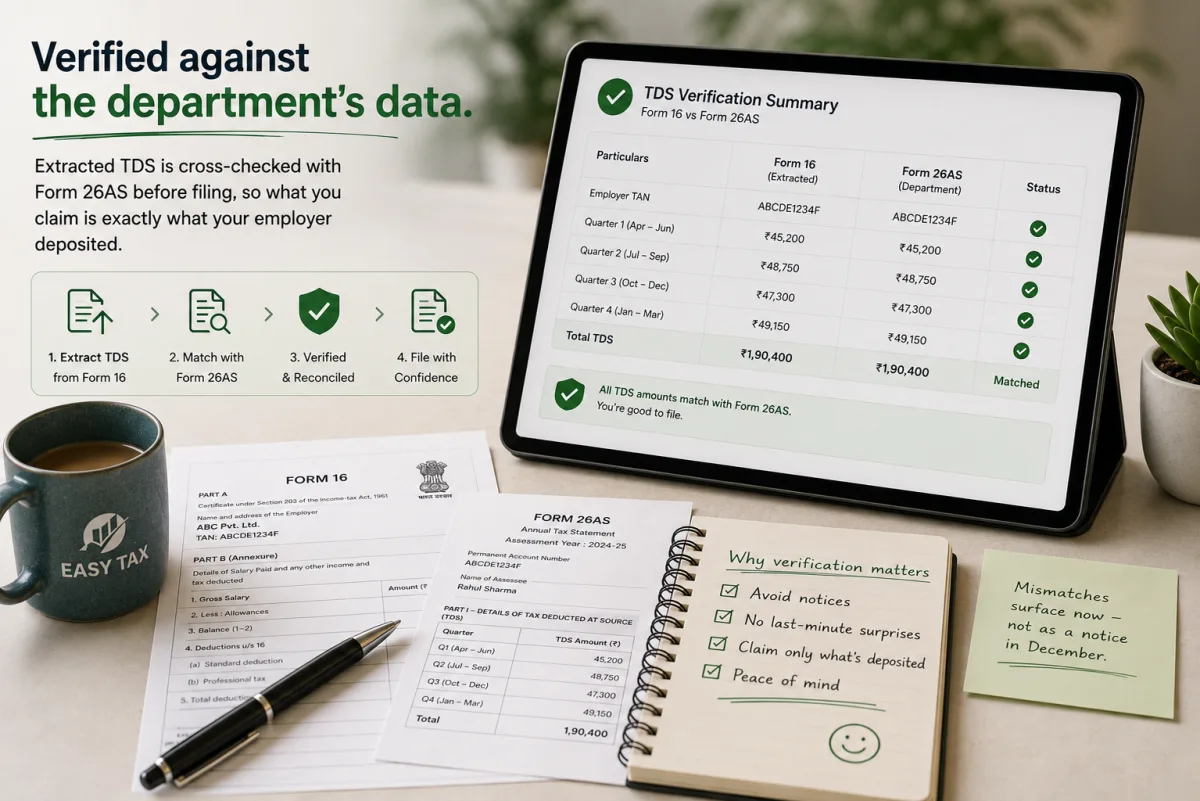
Verified against the department’s data
Extracted TDS is cross-checked with Form 26AS before filing, so what you claim is exactly what your employer deposited. Mismatches surface now — not as a notice in December.
Uploading Form 16 vs typing it all in
Say NO to
- Retyping fifty numbers from a PDF
- Guessing which figure goes in which box
- Double-counted standard deduction after a job switch
- TDS claims that do not match 26AS
- Two evenings lost to a fifteen-minute task
- Sharing your salary PDF over random WhatsApp numbers
Say YES to
- Automatic extraction of Parts A and B
- Multi-employer consolidation done right
- A refund estimate the moment extraction finishes
- 26AS verification before submission
- Filing finished in minutes, e-verification included
- Encrypted storage you can wipe after filing
How it works
-
Upload the PDF
Password-protected files work too; add a second employer if you switched.
-
Review the prefill
Confirm the extracted numbers and answer two or three quick questions.
-
File & e-verify
Submit with Aadhaar OTP and get your acknowledgement instantly.
Filing from Form 16 for AY 2026-27, explained
What “upload Form 16 and file” actually means
Form 16 is the TDS certificate your employer issues each year, and it already contains almost everything your income tax return needs. Uploading it to file means an extractor reads that PDF and builds your return automatically — no retyping, no guessing which figure belongs in which box. For a salaried taxpayer, this is the fastest honest way to file for AY 2026-27: drop in the PDF, confirm a few details, and submit in minutes, with your claimed TDS cross-checked against Form 26AS before it goes. The whole point is to remove the two evenings people lose to manual entry, and the errors that come with it.
Who this is for
This is built for salaried professionals who have their Form 16 and want speed with accuracy — first-time filers, busy employees, and anyone who changed jobs and now holds two Form 16s. It handles password-protected files and consolidates multiple employers automatically. If your year includes significant capital gains, business income or foreign assets that Form 16 does not capture, you can add those details or hand the prefilled draft to an expert in one tap — so the upload flow fits simple and slightly-complex returns alike.
What the extractor does for you
It reads Part A — employer name, TAN and the quarter-by-quarter TDS deposited — and Part B — your salary breakup, exemptions and every Chapter VI-A deduction — straight into the correct fields. If you upload two Form 16s from a job switch, it merges them, recomputes your tax on the combined income, and removes the standard deduction that would otherwise be double-claimed, showing any resulting shortfall before you file. It produces a refund estimate the instant extraction finishes, and reconciles the extracted TDS with Form 26AS so your claim matches what was actually deposited. Aadhaar-OTP e-verification is guided right after submission.
Multiple Form 16s and the 26AS check
Switching jobs mid-year is where manual filing most often goes wrong: file the two Form 16s separately and you can under-report income or claim the ₹50,000 standard deduction twice, which invites a notice. Consolidating them correctly re-slabs your combined income and surfaces any tax still payable. The 26AS reconciliation is the other safeguard — it confirms the TDS in your Form 16 was genuinely deposited against your PAN, so a delayed or mis-PANed deposit is caught before filing rather than months later as a mismatch notice.
What you will need
- Form 16 PDF from your employer (both parts)
- Second employer’s Form 16, if you changed jobs
- PAN and Aadhaar (linked, mobile handy for OTP)
- Bank account and IFSC for your refund
- Interest certificates for FDs/savings, if any
- Rent/investment proofs only if adding claims beyond Form 16

Whatever your Form 16
Reads real formats
Built for the scanned, digital and password-locked Form 16s employers issue.
Instant refund estimate
Know your refund before you decide anything.
Job-switch consolidation
The classic double-deduction trap, defused automatically.
26AS cross-check
Claims verified against deposited TDS before filing.
Add extra income
Interest or rent added on top of the prefill.
Password-protected files
Enter the password and extraction proceeds normally.
Instant e-verification
Aadhaar OTP verification guided in-flow.
Expert fallback
Anything unusual, an expert takes over your prefilled draft.
Simple, honest pricing
- Single Form 16 auto-extraction
- Standard filing
- Regime comparison
- E-verification guide
- Everything in Instant
- Two+ employers consolidated
- Extra income (interest/rent)
- 26AS verification report
- Everything in Plus
- Expert review of the prefilled draft
- One revision included
Privacy, deadlines & what happens to your PDF
What you will need
Almost everything comes from the Form 16 PDF itself, including password-protected files — just enter the password (usually your PAN in a set format) at upload. Add a second employer’s Form 16 if you switched jobs, keep your PAN and Aadhaar linked with your mobile for the OTP, and have your bank account and IFSC ready for the refund. If you earned FD or savings interest, keep those certificates handy, since that income is in your AIS. You only need rent or investment proofs if you are adding claims beyond what Form 16 already shows.
The deadline, and what happens to your file
Employers must issue Form 16 by 15 June, and the ITR due date for most individuals is 31 July 2026 — filing early means a faster refund and time to fix any mismatch. Your uploaded PDF is stored encrypted so you can retrieve your records, used only to prepare your return, and never shared; you can delete it from your account at any time. Every extracted figure is shown for your confirmation before filing, side by side with the source, so you stay in control.
Why file from Form 16 with EasyTax
The extractor is built for the real formats Indian employers issue — scanned, digital and locked — and the 26AS reconciliation means fast never means unsafe. Multi-employer consolidation is automatic, a refund estimate appears the moment extraction finishes, and if anything looks unusual you can hand the prefilled draft to an expert in one tap. Everything is handled under India’s DPDP Act, so your salary details stay private from upload to acknowledgement.
Frequently asked questions
Everything filers ask before uploading Form 16 to file.

Yes. Enter the password at upload — it is usually your PAN in a specified format — and extraction proceeds normally. The file is decrypted only to read the figures and is then stored encrypted on our side. Password protection is standard for Form 16, so the flow is built to handle it seamlessly.
From Part A: your employer’s name and TAN and the quarter-by-quarter TDS deposited against your PAN. From Part B: your full salary breakup, exemptions and every Chapter VI-A deduction. Together that is essentially everything needed to prefill a salaried return, which is why there is nothing left to type from the PDF.
It is exactly the case this is built for. Upload both and they are consolidated, your tax slab is recomputed on the combined income, the double-counted standard deduction is removed, and any resulting shortfall is shown before you file. Filing two employers separately is a common way people accidentally under-pay and later get a notice.
It is stored encrypted so you can retrieve your records later, used only to prepare your return, and never shared or used for anything else. You can delete it from your account at any time. All of this is handled in line with India’s Digital Personal Data Protection (DPDP) Act.
Every extracted figure is shown for your confirmation before filing, side by side with the source Form 16, so you can edit anything inline. And if your return turns out to need more than Form 16 covers, one tap hands the prefilled draft to an expert who finishes it with you — you never lose what you have entered.
Yes. After the prefill you can add interest income, rental income or other sources in simple steps, so your return is complete even though Form 16 only covers salary. If the extra income is complex — significant capital gains, for instance — you can switch to an expert-assisted filing with everything carried over.
The tool compares the old and new regime on your extracted numbers and shows which leaves more money with you, so you are not guessing. For AY 2026-27 the new regime is the default with lower rates but fewer deductions; if you have strong 80C, 80D and HRA claims the old regime may still win, and the comparison makes that clear.
Most single-employer uploads are ready to file the same day, and many filers finish in under twenty minutes once extraction completes. Confirming the prefilled figures and answering two or three questions is the only manual part. Complex additions take a little longer, and the tool tells you upfront if that applies.
Yes. The file is transmitted securely, decrypted only to read the figures, then stored encrypted and never shared. You control deletion. The built-in 26AS reconciliation adds a second layer of safety by ensuring you file figures that match the department’s records — the main cause of post-filing mismatches — before you submit.
Yes — a return is complete only once e-verified, and the tool guides you through Aadhaar-OTP verification immediately after submission. If you do not e-verify within the allowed window the return is treated as not filed, so we make sure you complete this last step before finishing.
Your Form 16 arrived. Your ITR is minutes away.
Employers issue Form 16 by 15 June — most uploads file the same day.
Verified & Supervised by CA Jitendra Shari
Every filing, tax consultation, and compliance checklist is rigorously audited by practicing Chartered Accountants in Jaipur to ensure 100% adherence to Income Tax, GST, and MCA regulations.