

How to Apply for GST Registration Online 2026: Master the New GST Registration Process in India and Get Your GST Certificate Download 2026 Ready
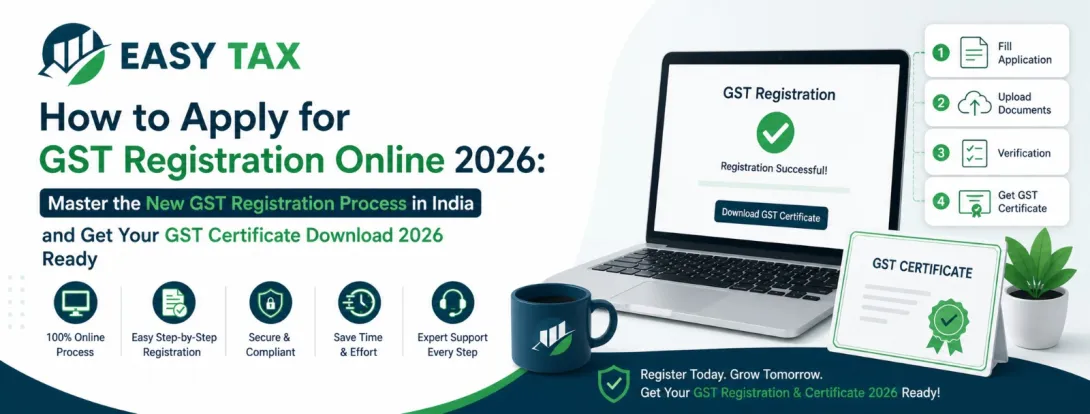
How to Apply for GST Registration Online in India (2026): Eligibility, Documents and Step-by-Step Process
Starting a business, expanding into another state or supplying goods and services to new customers may create a requirement to register under the Goods and Services Tax (GST) system. The registration process is completed online through the official GST Portal.
This guide explains who may need GST registration, how turnover thresholds work, which documents to prepare, how to submit Form GST REG-01, and how to download the registration certificate after approval.
This article is an educational guide. GST registration requirements depend on the nature of supplies, turnover, location, exemptions and applicable notifications. Check the current law and portal instructions before applying.
01 What is GST registration?
GST registration is the process through which a person or business liable under the applicable GST provisions obtains a Goods and Services Tax Identification Number, commonly called a GSTIN.
A GSTIN is a 15-character identification number associated with the registered person and the relevant state or union territory. A registered taxpayer must follow the compliance requirements applicable to their registration, including tax invoices, applicable returns, tax payments and record maintenance.
GST registration is governed principally by the Central Goods and Services Tax Act, 2017, the applicable State or Union Territory GST law, the rules and relevant notifications.
Read the Central Goods and Services Tax Act on the CBIC website.
02 Who needs GST registration in India?
GST registration is required when a person becomes liable under the relevant provisions of the GST law. The requirement is not determined by turnover alone. The type of supply, the state from which it is made, the recipient, the business model and applicable exemptions can also matter.
Businesses crossing the applicable turnover limit
Section 22 of the CGST Act provides the general turnover-based registration framework. The applicable limit depends on the category of supply and the state or union territory. Certain states and specified categories have different limits or conditions.
Specified categories requiring registration
Section 24 lists categories of persons who may be required to register notwithstanding the general threshold provisions. These include specified inter-State suppliers, casual taxable persons, non-resident taxable persons, certain persons liable under reverse charge, specified agents, Input Service Distributors and other notified categories.
Voluntary registration
A person who is not otherwise required to register may choose voluntary registration where permitted. However, once registered, the person becomes subject to the applicable obligations of a registered taxpayer. Consider the effect on pricing, invoicing, input tax credit and return filing before opting in.
Official legal references: CGST Act, Section 22 – Persons liable for registration and Section 24 – Compulsory registration in certain cases .
03 GST registration turnover limits
There is no single turnover figure that applies to every business in India. The general framework under Section 22 distinguishes between suppliers and also allows different limits in specified states and circumstances.
| Business situation | General framework | What to verify |
|---|---|---|
| Suppliers of services | The general threshold is ₹20 lakh in many states. A lower threshold may apply in specified special-category states. | State-specific provisions, nature of supply and applicable notifications. |
| Suppliers exclusively dealing in goods | A higher threshold of up to ₹40 lakh is available in specified states, subject to conditions and exclusions. | Whether the state has adopted the higher limit and whether the supplier satisfies the conditions. |
| Specified compulsory-registration categories | Section 24 and relevant notifications may require registration independently of the general threshold. | The exact category, transaction and any applicable exemption or relaxation. |
Aggregate turnover is calculated on the basis prescribed under the GST law. It is not necessarily the same as the sales shown in one individual state or one business location.
Businesses dealing in both goods and services, businesses with multiple registrations, and businesses making supplies across state boundaries should obtain a case-specific eligibility assessment before deciding whether registration is required.
Refer to the current CBIC Section 22 reference and the applicable notifications before relying on a threshold.
04 Documents required for GST registration
The documents required depend on the constitution of the business, the authorised signatory, the premises and the information requested in the current Form GST REG-01. Prepare the relevant documents before beginning the application.
Common information and documents
- PAN details of the applicant or business, as applicable.
- Valid mobile number and email address for verification.
- Details of the business constitution, such as proprietorship, partnership, LLP or company.
- Details of proprietors, partners, directors or other relevant persons.
- Photograph and identity details where required by the form.
- Details of the principal place of business.
- Proof relating to ownership, tenancy or permitted use of the business premises, as applicable.
- Details of additional places of business, if any.
- Details and appointment evidence for the authorised signatory, where applicable.
- Goods and services details, including relevant HSN or SAC information.
Address proof
The acceptable evidence depends on the type of premises and the current portal instructions. For example, the supporting documents for owned premises may differ from those for rented or shared premises.
Do not assume that one fixed document list applies to every applicant. Select the correct premises category and follow the document instructions displayed in the current registration application.
Digital signature and verification
The required method of signing or verifying an application depends on the applicant's constitution and the applicable portal requirements. Companies and LLPs should check the applicable Digital Signature Certificate requirements.
The official GST Portal's registration manual explains the application fields and verification steps: Apply for Registration – Normal Taxpayer .
05 How to apply for GST registration online
Applications for normal GST registration are submitted through the official GST Portal. The general process is described below. Portal screens and authentication steps may change, so follow the current instructions shown during the application.
01 Open the official GST Portal
Visit www.gst.gov.in . Use the official government portal rather than an unofficial website claiming to issue a GSTIN.
02 Select New Registration
Navigate to Services, select Registration and choose New Registration. Select the appropriate taxpayer category and provide the requested basic details.
03 Complete the initial verification
Enter the PAN and the requested contact details. The portal validates the information and sends verification codes to the relevant mobile number and email address.
04 Obtain the Temporary Reference Number
After successful initial verification, the portal generates a Temporary Reference Number (TRN). Keep it secure. Use the TRN and the portal's instructions to continue the application.
05 Complete Form GST REG-01
Complete the relevant sections of the registration application. These may include:
- Business details and constitution.
- Promoter, partner or director details.
- Authorised signatory details.
- Principal and additional places of business.
- Goods and services supplied.
- State-specific information, where applicable.
- Aadhaar authentication and verification options.
06 Upload the required documents
Upload the documents requested for the applicant's particular business and premises category. Check that names, addresses, PAN details and supporting documents are consistent.
07 Complete the required authentication
Follow the authentication route applicable to the application. Depending on the case, this may involve Aadhaar-based authentication, biometric verification, document verification or another prescribed process.
08 Submit and save the acknowledgement
Verify the information and submit the application using the permitted electronic verification method. After the required submission and authentication steps are completed, an Application Reference Number (ARN) is generated.
Save the ARN and acknowledgement. Use the portal's Track Application Status facility to monitor progress.
The Government's October 2026 FAQ confirms that the application is submitted through Services → Registration → New Registration on the GST Portal: PIB – FAQs on GST registration application, 9 October 2026 .
06 Aadhaar authentication and biometric verification
Aadhaar authentication is part of the GST registration verification framework for applicable applicants. The exact process depends on the applicant and the risk-based checks carried out through the portal.
Depending on the case, the applicant or relevant persons may receive an authentication link or be directed to complete biometric-based authentication and document verification at a designated GST Suvidha Kendra.
Do not assume that every applicant must visit a GST Suvidha Kendra, or that every application is approved through OTP authentication alone. Follow the instructions and appointment details displayed by the GST Portal.
The GST registration rules provide for Aadhaar authentication and, in specified cases, biometric authentication and verification of original documents. See CGST Rules, Rule 8 – Application for registration .
07 GST registration processing time and clarification notices
The time taken to process a GST registration application depends on whether the application is complete, whether authentication is completed, and whether the proper officer requires additional verification or clarification.
Rule 9 of the CGST Rules provides for different processing timelines depending on the circumstances. In cases where the application is in order and the relevant ordinary verification conditions are satisfied, the rule provides for approval within seven working days. Different timelines apply in specified cases involving Aadhaar authentication or physical verification.
If the officer issues a notice seeking clarification or additional information, respond through the prescribed portal process within the time stated in the notice. Rule 9 provides a seven-working-day response period for the applicant in the relevant clarification process.
Do not treat three to five working days or any other estimate as a guaranteed approval time. A request for clarification, incomplete documents, authentication requirements or physical verification can affect processing.
Official reference: CGST Rules, Rule 9 – Verification of the application and approval .
08 Do you need to provide bank account details during GST registration?
Bank account information is not a mandatory field in the initial GST registration application in the same way as the basic registration details. The GST Portal's registration guidance explains that bank details can be furnished after registration through the prescribed amendment process.
However, this does not mean bank details can be ignored indefinitely. Rule 10A of the CGST Rules requires the registered person covered by that rule to furnish bank account information within 30 days from the grant of registration or before furnishing details of outward supplies in Form GSTR-1 or using the invoice furnishing facility, whichever is earlier.
Check whether an exception applies to your registration category and follow the current portal instructions.
Official references: CGST Rules, Rule 10A – Furnishing of bank account details and GST Portal – Non-Core Fields .
09 How to download the GST registration certificate
After registration is approved, the GST Portal makes the registration certificate available electronically in Form GST REG-06.
- Visit the official GST Portal.
- Log in using the registered credentials.
- Open Services and then User Services.
- Select View/Download Certificates.
- Locate the GST registration certificate in Form GST REG-06.
- Download and retain a copy for business records.
Check the certificate carefully for the legal name, GSTIN, registration type, principal place of business and other particulars. If any information is incorrect, review the applicable amendment procedure.
Under Rule 18 of the CGST Rules, every registered person is required to display the registration certificate in a prominent location at the principal place of business and at every additional place of business.
Refer to the CBIC GST Registration Rules for the applicable certificate and display requirements.
10 GST registration government fees and professional charges
The online GST registration application is submitted through the government GST Portal. The portal's registration process does not prescribe a general government application fee for an ordinary registration application.
A business may separately choose to pay a professional, consultant or service provider for assistance with eligibility assessment, document preparation, application submission or follow-up. Such professional charges are separate from government fees and can vary by provider and complexity.
Ask for a clear written quotation before engaging a service provider. Do not treat an advertised professional fee as an official government charge.
11 What should you do after receiving your GSTIN?
GST registration is the beginning of ongoing compliance. After receiving the GSTIN, review the obligations that apply to your registration type and business activity.
- Check the registration certificate and business details.
- Furnish bank account information within the applicable Rule 10A timeline.
- Understand the return filing frequency applicable to your registration.
- Issue tax invoices or other prescribed documents where required.
- Maintain purchase, sales and tax records.
- Review whether e-invoicing or e-way bill provisions apply.
- Track filing dates, payments and notices.
- Update registration particulars when changes require amendment.
Return filing and payment obligations depend on the taxpayer's registration category and applicable law. Do not assume that every registered person has identical filing requirements.
12 Common mistakes to avoid when applying for GST registration
Using an incorrect turnover threshold
Applying a single threshold to every state, business type or supply can lead to an incorrect eligibility decision. Check the applicable state provisions and notifications.
Assuming all online sellers have the same registration requirement
E-commerce and inter-State transactions can involve specific provisions and exemptions. Review the exact category of supply and the applicable notifications before deciding.
Uploading inconsistent address documents
Check that the premises information in the application matches the supporting documents and the selected premises category.
Entering incorrect PAN or contact information
Review the legal name, PAN, mobile number and email address before submitting the application.
Ignoring Aadhaar or biometric verification requests
Complete the authentication or appointment steps shown by the portal. An application may not be treated as complete until the required process is finished.
Not tracking the ARN
Save the acknowledgement and monitor the application status. If a clarification notice is issued, respond within the prescribed period.
Assuming bank details are never required
Bank details may be added after registration, but Rule 10A prescribes a deadline for furnishing them for persons covered by the rule.
13 Frequently asked questions about GST registration
01 How can I apply for GST registration online?
Visit the official GST Portal, select Services, then Registration and New Registration. Complete the requested details, verification, Form GST REG-01, document uploads and applicable authentication steps.
02 Is GST registration compulsory for every business?
No. Registration depends on the applicable turnover threshold, the nature and location of supplies, compulsory-registration provisions and available exemptions. Review Sections 22 and 24 of the CGST Act and relevant notifications.
03 Is the GST registration threshold ₹40 lakh for everyone?
No. The higher threshold is available only to specified suppliers dealing exclusively in goods in states that have adopted it, subject to conditions and exclusions. Different limits apply to services and certain states.
04 Is the GST registration threshold for service providers ₹10 lakh?
A general ₹10 lakh threshold should not be applied to all service providers. The general threshold is ₹20 lakh in many states, with lower limits applying in specified special-category states. Verify the applicable state and legal provisions.
05 Is GST registration mandatory for every inter-State sale?
Not necessarily. Section 24 contains compulsory-registration categories, but the law and notifications also provide specific exemptions and conditions. Review the nature of the supply and the applicable notification before concluding.
06 Do all e-commerce sellers need GST registration?
The answer depends on the type of supply, the e-commerce operator, the applicable provisions and notifications. Do not assume that every marketplace seller is automatically required to register regardless of turnover.
07 Is bank account information required in the initial application?
Bank account details are generally furnished after registration through the prescribed process. Rule 10A specifies the applicable deadline for persons covered by that rule.
08 What is a TRN in GST registration?
TRN means Temporary Reference Number. It is generated after the initial verification stage and is used to continue the registration application on the GST Portal.
09 What is an ARN?
ARN means Application Reference Number. It is the reference generated after the relevant application submission process. Keep it to track the application status.
10 How long does GST registration take?
The timeline depends on the applicable verification route, the completeness of the application and whether clarification or physical verification is required. Rule 9 of the CGST Rules specifies different processing periods for different cases.
11 What is Form GST REG-06?
Form GST REG-06 is the registration certificate made available after approval of the GST registration application.
12 Can I apply for GST registration without professional help?
Yes. Applicants can use the official GST Portal and its registration guidance to submit an application themselves. Professional assistance is optional, although a complex eligibility or documentation issue may require expert advice.
13 Can I use my home address for GST registration?
A residential premises may be used where the applicant is legally entitled to use the premises for the business and provides the relevant documents required by the portal. The acceptable evidence depends on the ownership, tenancy or other premises arrangement.
14 Where can I check the status of my GST registration?
Use the Track Application Status facility on the official GST Portal and enter the relevant application reference details.
14 Official government sources and further reading
The following primary and government sources should be used to verify GST registration requirements. Always check for later amendments, notifications and portal instructions.
- GST Portal – Government registration and taxpayer services
- GST Portal – Registration application user guide
- CBIC – Central Goods and Services Tax Act
- CBIC – GST Registration Rules
- CBIC Tax Information – Section 22
- CBIC Tax Information – Section 24
- CBIC Tax Information – Section 25
- CBIC Tax Information – Rule 9
- CBIC Tax Information – Rule 10A
- Press Information Bureau – GST registration application FAQs, 9 October 2026
Need assistance with GST registration?
If you are unsure about your registration requirement, document selection or application process, you may seek professional assistance. The correct approach is to assess your business facts first and then prepare the application using the applicable GST requirements.
EasyTax provides GST registration assistance. Review the service details and confirm the scope, fees and documents required before proceeding.
Explore EasyTax GST Registration Assistance Contact EasyTax Apply through the Official GST Portal
Was this guide helpful?
Related reading

Why Your Business Needs a CA: 7 Signs You Shouldn't Ignore
Skip to article Business Accounting & Taxation Why Your Business Needs a CA: 7 Signs You Shouldn't Ignore Business…

Why is My Gst Credit Blocked? Common Reasons and Solutions
Understand why GST credit is blocked, how to check GSTR-2B and Section 16 conditions, and when Rule 37A, Section 17(5)…

Best Gst Consultant in Jaipur
EasyTax Home Blog Our services Contact Home / Blog / GST / Best GST Consultant in Jaipur GST compliance · Jaipur,…
Latest from the blog

SEO Agent connection test (temporary)
This is a temporary test post. It checks the connection between the EasyTax website and the SEO Agent publishing tool,…
Tax-Smart Tips for Salaried Employees: New Tax Regime
Tax-smart tips for salaried employees under the new tax regime: understand deductions, employer NPS, tax rebates,…
Tax-Smart Tips for Salaried Employees | EasyTax
Tax-smart tips for salaried employees under India’s new tax regime: compare deductions, employer NPS, rebates and…
EasyTax • Trusted by 10,000+ Clients
GST Return Filing & Compliance
Timely GSTR-1 & GSTR-3B filing, 100% ITC matching and department notice defense by certified GST experts.