

ITR Filing Online for AY 2026–27: ITR-1 Steps and Tax Rules
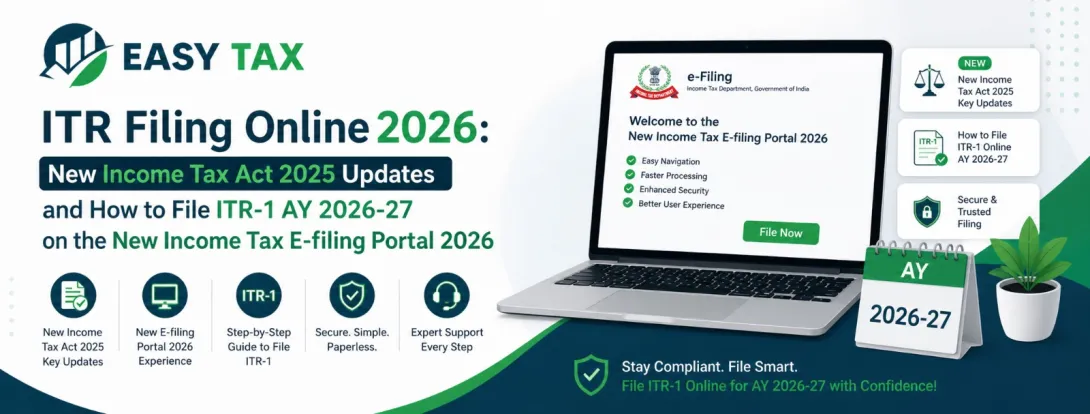
ITR filing online for AY 2026–27 applies to income earned during FY 2025–26. This guide explains who can use ITR-1, how to file online, what to check before submission and how to e-verify the return.
Which Act applies to AY 2026–27?
The return for income earned from 1 April 2025 to 31 March 2026 is filed as AY 2026–27. The Income Tax Department states that this return continues to be governed by the Income-tax Act, 1961. Do not confuse this return with returns for later tax years under the new framework.
Read the official transition guidance before relying on any deadline or tax calculation.
Who can file ITR-1?
ITR-1 (Sahaj) is generally available to a resident individual, other than an RNOR, whose total income does not exceed ₹50 lakh and whose income falls within the categories specified by the Income Tax Department, such as salary, eligible house-property income and other specified sources.
Check the official ITR-1 eligibility rules before selecting the form. ITR-1 is not suitable for every taxpayer; special income, non-resident status, business income and other exclusions may require another form.
How to file ITR-1 online
- Sign in to the Income Tax e-Filing portal.
- Open e-File → Income Tax Returns → File Income Tax Return.
- Select AY 2026–27 and choose online filing.
- Select your status and choose ITR-1 (Sahaj) if eligible.
- Review pre-filled personal, salary, tax and deduction information.
- Add missing information, confirm each section and preview the return.
- Pay any tax due, submit the return and complete e-verification.
Follow the official ITR-1 filing manual for the current portal steps.
Documents and information to keep ready
- PAN and Aadhaar details linked to the e-Filing profile where applicable.
- Form 16 and salary details.
- Annual Information Statement and Taxpayer Information Summary.
- Bank account, interest, dividend and other income details.
- Deduction and tax-payment records that apply to your case.
Tax regime and rebate checks
The new tax regime is the default option in the AY 2026–27 online ITR-1 workflow. Review the regime question carefully and compare the result using the applicable rules before submitting.
Use EasyTax’s Income Tax Calculator for an estimate, but treat the result as informational and verify the final computation on the official portal.
Due dates and late filing
Due dates depend on taxpayer category and any official extension. Check the latest Income Tax Department notification instead of relying on a fixed date copied from an older article. A belated return may involve late fees or interest, subject to the applicable provisions.
Final review and e-verification
Before submitting, reconcile Form 16, AIS and tax-credit information, check bank details and review every schedule. After submission, complete e-verification within the applicable time so the return is processed.
Need help? Explore Expert Assisted ITR Filing, the TDS Calculator or Tax Planning Services. You can also read our tax tips for salaried employees and Revised Form 161 guide.
This article is general information, not individual tax advice. Confirm the current rules and your eligibility on the official Income Tax Department portal or with a qualified tax professional.
Was this guide helpful?
Related reading

Tax-Smart Tips for Salaried Employees: New Tax Regime
Tax-smart tips for salaried employees under the new tax regime: understand deductions, employer NPS, tax rebates,…
Tax-Smart Tips for Salaried Employees | EasyTax
Tax-smart tips for salaried employees under India’s new tax regime: compare deductions, employer NPS, rebates and…

Revised Form 161: CBDT Notification 134/2026 Explained
Income Tax · India · Tax update Revised Form 161: CBDT Notification 134/2026 Explained Updated: 19 November 2026 ·…
Latest from the blog
SEO Agent connection test (temporary)
This is a temporary test post. It checks the connection between the EasyTax website and the SEO Agent publishing tool,…

The Complete Guide to the Bank Audit Process
Home / Blog / Tax compliance EasyTax · Tax compliance guide Tax Compliance in India: Income Tax, GST & TDS Tax…

Ca Services for Startups: What We Offer and Why It Matters
Home › Blog › Startup & CA Startup & CA CA Services for Startups in India: What Founders Need and Why It Matters From…
EasyTax • Trusted by 10,000+ Clients
Expert Assisted ITR Filing
Dedicated CA prepares, verifies, and files your ITR. Maximum refund, accurate deductions, zero notices.