

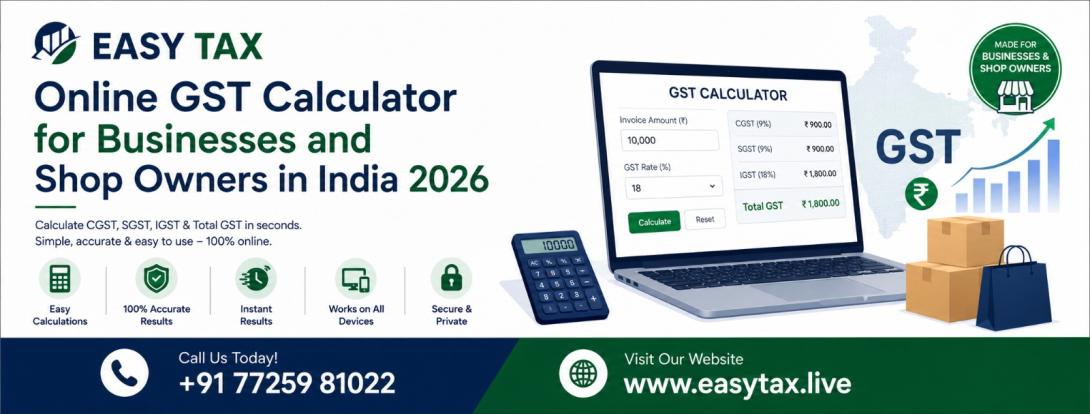
Online GST Calculator for Businesses and Shop Owners in India 2026
Online GST Calculator for Businesses in India: Calculate GST, CGST, SGST & IGST
Need to add GST to a selling price or work backwards from a GST-inclusive bill? Use the calculator below to estimate the tax amount and invoice total. Then confirm the applicable GST rate and tax type for your actual transaction.
By EasyTax Editorial Team · Applicable to Indian GST calculations. Tax rates and legal treatment must be checked against current official notifications.
Online GST Calculator
Enter the transaction amount and the GST rate applicable to your product or service. Choose whether the amount already includes GST and select the nature of supply for the tax breakup.
Calculation result
| Taxable value | — |
|---|---|
| CGST | — |
| SGST / UTGST | — |
| IGST | — |
| Total GST | — |
| Total amount | — |
This is an arithmetic estimate based on the rate and supply type you entered. It does not verify classification, exemption, valuation, place of supply or compensation cess.
What is GST?
Goods and Services Tax (GST) is an indirect tax levied on supplies of goods and services under India's GST framework. A registered supplier may need to determine the applicable rate, taxable value and type of tax before issuing a tax invoice.
The tax calculation is only one part of the process. The correct treatment also depends on the nature of the supply, product or service classification, place-of-supply provisions, exemptions and other applicable rules.
How to use the online GST calculator
- Enter the amount. Use the taxable price before GST for an exclusive calculation, or the final GST-inclusive amount for an inclusive calculation.
- Enter the applicable GST rate. Check the product's HSN classification or service's SAC classification and the relevant official rate notification first.
- Select the price type. Choose GST exclusive to add tax to a base amount, or GST inclusive to extract the tax already contained in the amount.
- Select the nature of supply. Choose intra-State or inter-State only after determining the legally applicable place of supply.
- Calculate and review the result. Check the taxable value, tax breakup and total. Keep the underlying classification and transaction records for your billing process.
The calculator does not select the correct GST rate automatically. The user must enter a rate verified for the specific goods or services.
GST calculation formulas
1. GST exclusive calculation
Use this method when the amount entered is before GST and tax must be added to it.
GST amount = Taxable value × GST rate ÷ 100
Total amount = Taxable value + GST amount
Example: Assume a taxable value of ₹10,000 and an applicable GST rate of 18%.
| Taxable value | ₹10,000 |
|---|---|
| GST rate used in this example | 18% |
| GST amount | ₹1,800 |
| Total amount | ₹11,800 |
2. GST inclusive calculation
Use this method when the final price already includes GST and you need to calculate the pre-tax value and tax component.
Taxable value = Inclusive amount × 100 ÷ (100 + GST rate)
GST amount = Inclusive amount − Taxable value
Example: Assume the total price is ₹11,800, inclusive of GST at 18%.
| Inclusive amount | ₹11,800 |
|---|---|
| Taxable value | ₹10,000 |
| GST included | ₹1,800 |
The GST rate applies to the taxable value, not directly to the tax-inclusive total. That is why inclusive GST is extracted using the denominator of 100 plus the rate.
CGST, SGST and IGST: What is the difference?
The applicable tax type depends on whether the supply is intra-State or inter-State under the IGST Act. This determination uses the supplier's location and the legally determined place of supply. It is not always enough to look only at the customer's address.
| Tax type | General application | Calculation illustration at 18% |
|---|---|---|
| CGST | Central component of a qualifying intra-State supply. | 9% |
| SGST / UTGST | State or Union Territory component of a qualifying intra-State supply. | 9% |
| IGST | Generally applies to an inter-State supply and specified other supplies. | 18% |
The 18% illustration above is only an example of splitting a hypothetical total rate. It does not mean that every product or service is taxable at 18%.
Intra-State example
Assume a taxable value of ₹50,000 and a correctly determined total GST rate of 18%. If the transaction qualifies as intra-State, the illustration is CGST of ₹4,500 and SGST of ₹4,500. Total GST is ₹9,000.
Inter-State example
On the same assumed taxable value and rate, if the transaction is inter-State, the illustration is IGST of ₹9,000. The total tax is ₹9,000, but the tax head is different.
How to find the correct GST rate for a product or service
Do not rely on a generic list of GST slabs to decide the rate for every business transaction. The applicable rate depends on the description and classification of the goods or services and the relevant notification, including any conditions, exemptions or special entries.
- Identify the exact product or service being supplied.
- Confirm its applicable HSN code for goods or SAC classification for services.
- Search the current CBIC rate schedule and the relevant Gazette notification.
- Read the complete entry, including descriptions, conditions and exclusions.
- Check whether a later amendment or a separate exemption notification applies.
- Record the rate source and the date on which it was checked.
Notification No. 09/2025-Central Tax (Rate), dated 17 September 2025, superseded the earlier principal goods-rate notification, subject to its terms. It sets out detailed schedules and central tax rates for the goods listed in those schedules. Notification No. 15/2025-Central Tax (Rate), dated 17 September 2025, amended the principal service-rate notification.
These notifications should be read with subsequent amendments and applicable exemption notifications. The rate finder is a starting point for checking a classification, not a substitute for reading the applicable legal entry.
Check the CBIC GST goods and services rate schedules
GST calculation examples for businesses and shop owners
Retail shop
A retailer selling a taxable product should first identify the product's correct HSN classification and notified rate. Once the taxable value and rate have been established, the calculator can help work out the tax amount and total price.
Wholesale trader
A wholesaler can use the calculator to check the arithmetic on a transaction before preparing billing records. For bulk transactions, each product line may need a separate rate and classification. Do not apply one rate to an entire invoice if the invoice contains goods or services with different tax treatments.
Service provider or freelancer
A service provider should verify the applicable service classification, rate entry, place-of-supply rule and any relevant exemption before calculating GST. Service transactions can have place-of-supply rules that differ according to the nature of the service and recipient.
E-commerce seller
An online seller may need to consider product classification, the seller's registration status, marketplace arrangements, place of supply, returns and other transaction-specific requirements. A simple GST calculator does not calculate marketplace deductions, TCS, commissions or the seller's complete GST return liability.
What an online GST calculator does not determine
A calculator performs arithmetic using the amount, rate and tax type entered. It cannot independently confirm that those inputs are legally correct.
- Product or service classification: It does not independently establish the correct HSN or SAC classification.
- Applicable rate: It does not decide whether a particular notification entry, exemption or condition applies.
- Taxable value: Section 15 of the CGST Act and the valuation rules may require adjustments to the transaction value.
- Place of supply: It does not decide the legal place of supply for a transaction.
- Compensation cess: The calculator above does not calculate compensation cess or other separate levies.
- Input tax credit: It does not determine whether input tax credit is available or whether its statutory conditions have been met.
- Return liability: It does not prepare or reconcile GSTR-1, GSTR-3B or a complete GST liability calculation.
- Invoice compliance: A tax calculation alone does not create a compliant tax invoice. Applicable invoice particulars under section 31 and rule 46 must also be considered.
For complex transactions, related-party supplies, discounts, bundled supplies, exports, imports, reverse charge or uncertain classification, obtain advice from a qualified GST professional.
Frequently asked questions about GST calculation
How do I calculate GST on an amount before tax?
Multiply the taxable value by the applicable GST rate and divide by 100. Add the resulting GST amount to the taxable value to get the total. Confirm the correct rate before calculating.
How do I remove GST from an inclusive price?
Divide the inclusive amount by (100 plus the GST rate), then multiply by 100 to get the taxable value. Subtract that taxable value from the inclusive amount to get the GST component.
How is 18% GST divided between CGST and SGST?
For a qualifying intra-State supply at a total rate of 18%, the illustration is 9% CGST and 9% SGST. The actual rate and tax treatment must be confirmed for the transaction.
When is IGST used instead of CGST and SGST?
IGST generally applies to inter-State supplies and certain other specified supplies. The determination depends on the supplier's location and the applicable place-of-supply provisions under the IGST Act.
Does the GST calculator automatically select the correct rate?
No. You must identify the correct HSN or SAC classification and verify the applicable rate notification. The calculator uses the rate entered by the user.
Can I use the calculator to prepare a GST invoice?
You can use the arithmetic result as an input when preparing billing records. The calculator itself does not verify all statutory invoice particulars or create a compliant tax invoice.
Does this calculator include compensation cess?
No. It calculates the basic GST amount from the rate entered. Compensation cess, where applicable, requires a separate check and calculation.
Can the calculator determine my GST return liability?
No. Return liability may involve output tax, eligible input tax credit, reversals, adjustments, reverse charge and other reporting requirements. A simple price calculator does not calculate all these items.
Need help checking a GST classification or transaction?
If you are unsure about the applicable rate, place of supply, invoice treatment or GST compliance for your business, seek a transaction-specific review before relying on a calculation.
Official GST sources and legal references
The following primary sources support the legal explanations in this guide. Always check for amendments and the version applicable to the transaction date.
- CBIC — GST goods and services rate schedules — official rate schedule search.
- Gazette of India — Notification 09/2025-Central Tax (Rate) — principal notified goods-rate schedules dated 17 September 2025.
- Gazette of India — Notification 15/2025-Central Tax (Rate) — amendments to the principal services-rate notification.
- CBIC — Central Goods and Services Tax Act — including section 15 on value of taxable supply.
- CBIC — Integrated Goods and Services Tax Act — including sections 7 and 8 and place-of-supply provisions.
- CBIC — GST valuation rules — valuation where the ordinary transaction-value method is not sufficient.
- CBIC — GST invoice rules — invoice particulars and related rules.






EasyTax • Jaipur
GST Return Filing & Compliance
Timely GSTR-1 & GSTR-3B filing, 100% ITC matching and department notice defense by certified GST experts.